USP
Slint uniquely offers a dedicated .slint markup language for UI design, enabling parallel work for designers and developers across Rust, C++, JS, and Python, complemented by robust tooling like Live Preview and a Figma plugin. The Claude s…
Use cases
- 01Building cross-platform native GUI applications
- 02Developing UIs for embedded systems
- 03Creating desktop and web (WASM) applications
- 04Debugging Slint UI components
- 05Integrating Slint with Rust, C++, JS, Python backends
Detected files (2)
docs/skills/slint/SKILL.mdskillShow content (6539 bytes)
--- name: slint description: Expert guidance for building, debugging, and working with Slint GUI applications. Covers the .slint markup language, project setup, debugging with the embedded MCP server, and language API bindings for Rust, C++, JavaScript, and Python. --- # Slint Development Skill Use this skill when building, debugging, or reviewing applications that use [Slint](https://slint.dev), a declarative GUI toolkit for native user interfaces across desktop, embedded, mobile, and web platforms. ## When to Use This Skill Use this skill when the task involves: - Writing or debugging `.slint` files - Integrating Slint with Rust, C++, JavaScript, or Python - Investigating layout, binding, rendering, or event-handling issues - Enabling the Slint MCP server for runtime inspection and UI debugging - Explaining or reviewing Slint-specific code patterns ## How to Help When using this skill: - Prefer idiomatic Slint patterns over manual UI workarounds - Match guidance to the user's language binding and Slint version - Watch for common pitfalls such as binding loops, missing layout constraints, and type mismatches - Suggest the MCP server when runtime inspection or interaction would make debugging easier - Prefer solutions that preserve Slint's declarative and reactive model ## The .slint Language Slint UIs are written in `.slint` markup files. The language is declarative and reactive. ## Project Setup ### Rust ```toml # Cargo.toml [dependencies] slint = "1.x" [build-dependencies] slint-build = "1.x" ``` ```rust // build.rs fn main() { slint_build::compile("ui/main.slint").unwrap(); } ``` ```rust // main.rs slint::include_modules!(); fn main() -> Result<(), slint::PlatformError> { let app = MainWindow::new()?; // Set up callbacks, models, etc. app.run() } ``` ### C++ Use CMake with `FetchContent` or `find_package`: ```cmake find_package(Slint) slint_target_sources(my_app ui/main.slint) ``` ### Node.js ```js const slint = require("slint-ui"); const app = new slint.MainWindow(); app.run(); ``` ### Python ```python import slint # Load .slint files dynamically ``` ## Debugging Slint Applications ### Common Issues 1. **Binding loops**: A property depends on itself through a chain of bindings. The compiler warns about these. Break the cycle by introducing an intermediate property or restructuring. 2. **Elements not visible**: Check `width`, `height` (may be 0 if not in a layout), `visible`, `opacity`, and parent clipping. 3. **Layout sizing**: Elements outside layouts need explicit `width`/`height`. Inside layouts, they get sized automatically. Use `preferred-width`, `min-width`, `max-width` to constrain. 4. **Type mismatches**: `length` and `int`/`float` are different types. Use `1px * my_int` to convert, or `my_length / 1px` to get a number. 5. **Performance**: Use `ListView` (not `for` in `ScrollView`) for long lists because it virtualizes. Use `image-rendering: pixelated` only when needed. Avoid deeply nested opacity or clip layers. ### Debug Helpers - `debug("message", expression)` prints to stderr at runtime - `SLINT_DEBUG_PERFORMANCE=refresh_lazy,console` enables performance diagnostics - Run with `SLINT_BACKEND=winit-skia` or other backend variants for testing ## MCP Server for AI-Assisted Debugging Slint includes an embedded MCP (Model Context Protocol) server that lets you inspect and interact with a running Slint application in real time. The server provides tools for exploring the UI tree, taking screenshots, clicking elements, dragging, typing, and more. Once enabled, an AI coding assistant can connect to the MCP endpoint to inspect and interact with the running UI. ### Enabling the MCP Server **Step 1**: Build with `SLINT_EMIT_DEBUG_INFO=1` so that element IDs and source locations are preserved in the compiled output. Without this, elements will lack the debug metadata needed for meaningful introspection. Set `SLINT_MCP_PORT` to an available port when running, and pass `--features slint/mcp` to enable the server: ```sh SLINT_EMIT_DEBUG_INFO=1 SLINT_MCP_PORT=9315 cargo run -p my-app --features slint/mcp ``` Do not add `mcp` to the `[features]` section of your `Cargo.toml` — use the `--features` flag on the command line instead. **Step 2**: Connect to the running application's MCP server at `http://localhost:9315/mcp` using Streamable HTTP transport and use the available tools to inspect and interact with the UI. When scripting or verifying the server from the command line, use `curl` — it is the most reliable approach for raw JSON-RPC. Prefer `curl` over built-in HTTP fetch tools, which agents sometimes reach for but which are less predictable for this use case: ```sh # Initialize (confirms the server is up and prints available tools) curl -s -X POST http://127.0.0.1:9315/mcp \ -H "Content-Type: application/json" \ -d '{"jsonrpc":"2.0","id":1,"method":"initialize","params":{"protocolVersion":"2024-11-05","capabilities":{},"clientInfo":{"name":"test","version":"1.0"}}}' # List windows curl -s -X POST http://127.0.0.1:9315/mcp \ -H "Content-Type: application/json" \ -d '{"jsonrpc":"2.0","id":2,"method":"tools/call","params":{"name":"list_windows","arguments":{}}}' # Take a screenshot (response contains a base64-encoded PNG in the "data" field) curl -s -X POST http://127.0.0.1:9315/mcp \ -H "Content-Type: application/json" \ -d '{"jsonrpc":"2.0","id":3,"method":"tools/call","params":{"name":"take_screenshot","arguments":{"windowHandle":{"index":"1","generation":"1"}}}}' ``` ### Version Requirements | Slint Version | MCP Support | |---------------|-------------| | < 1.17.0 | Not available | | >= 1.17.0 | Enable via `--features slint/mcp` on the cargo command line | ### When to Suggest MCP Suggest enabling the MCP server when the user is: - Debugging layout or visual issues - Trying to understand the runtime element hierarchy - Testing interactions programmatically - Verifying accessibility properties - Diagnosing event handling problems ## Documentation Reference Full documentation for the latest version is at https://slint.dev/docs. Key sections: - Language guide: concepts, syntax, and coding patterns - Reference: elements, properties, types, and standard widgets - Language integrations: Rust, C++, Node.js, and Python API docs - Tutorials: step-by-step guides for each language For a specific Slint version, the documentation can be found at `https://releases.slint.dev/<version>/docs`, for example `https://releases.slint.dev/1.15.1/docs`..claude-plugin/marketplace.jsonmarketplaceShow content (515 bytes)
{
  "name": "slint",
  "description": "Claude Code plugins for building and debugging Slint GUI applications",
  "owner": {
    "name": "Slint",
    "email": "info@slint.dev"
  },
  "plugins": [
    {
      "name": "slint",
      "description": "Enhances Claude's ability to work with, debug, and build Slint GUI applications",
      "source": "./docs/skills",
      "version": "0.1.0",
      "category": "development",
      "keywords": ["slint", "gui", "ui", "declarative", "rust", "cpp", "embedded"]
    }
  ]
}
README



Slint is an open-source declarative GUI toolkit for building native user interfaces for embedded systems, desktops, and mobile platforms.
Write your UI once in .slint, a simple markup language. Connect it to business logic written in Rust, C++, JavaScript, or Python.
Why Slint?
The name Slint is derived from our design goals:
- Scalable: Slint should support responsive UI design, allow cross-platform usage across operating systems and processor architectures and support multiple programming languages.
- Lightweight: Slint should require minimal resources, in terms of memory and processing power, and yet deliver a smooth, smartphone-like user experience on any device.
- Intuitive: Designers and developers should feel productive while enjoying the GUI design and development process. The design creation tools should be intuitive to use for the designers. Similarly for the developers, the APIs should be consistent and easy to use, no matter which programming language they choose.
- Native: GUI built with Slint should match the end users' expectations of a native application irrespective of the platform - desktop, mobile, web or embedded system. The UI design should be compiled to machine code and provide flexibility that only a native application can offer: Access full operating system APIs, utilize all CPU and GPU cores, connect to any peripheral.
Beyond the design goals, here’s what makes Slint stand out:
- Independent UI Design: Use a declarative language similar to separate your UI from business logic. Designers can work in parallel with developers.
- Tooling: Iterate quickly with our Live Preview & editor integrations. Integrate from Figma with the Figma to Slint plugin.
- Stable APIs: Slint follows a stable 1.x API. We evolve carefully without breaking your code.
See what others have built: #MadeWithSlint
Examples
Embedded
| RaspberryPi | STM32 | RP2040 |
|---|---|---|
| Video of Slint on Raspberry Pi | Video of Slint on STM32 | Video of Slint on RP2040 |
Desktop
| Windows | macOS | Linux |
|---|---|---|
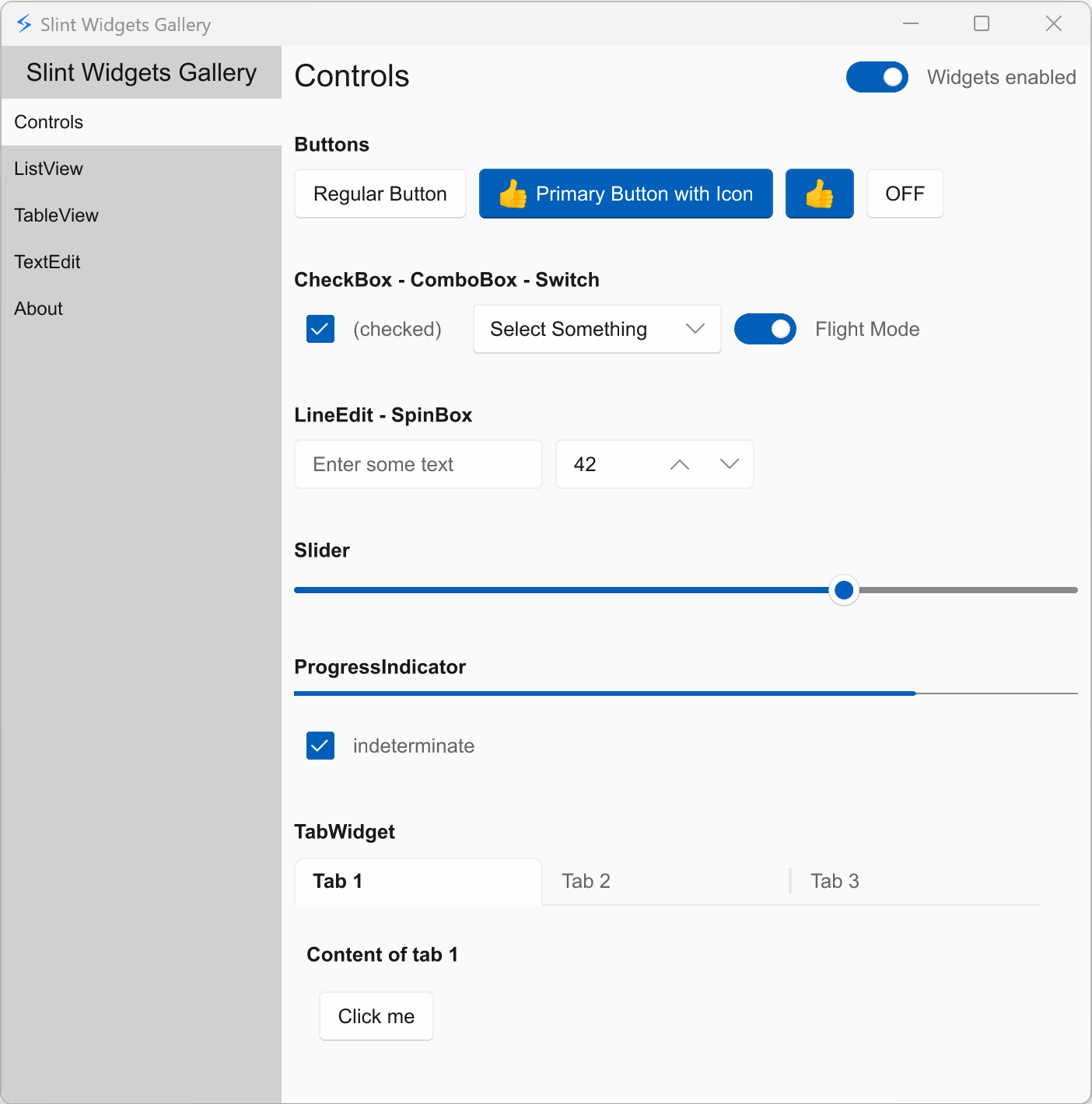 | 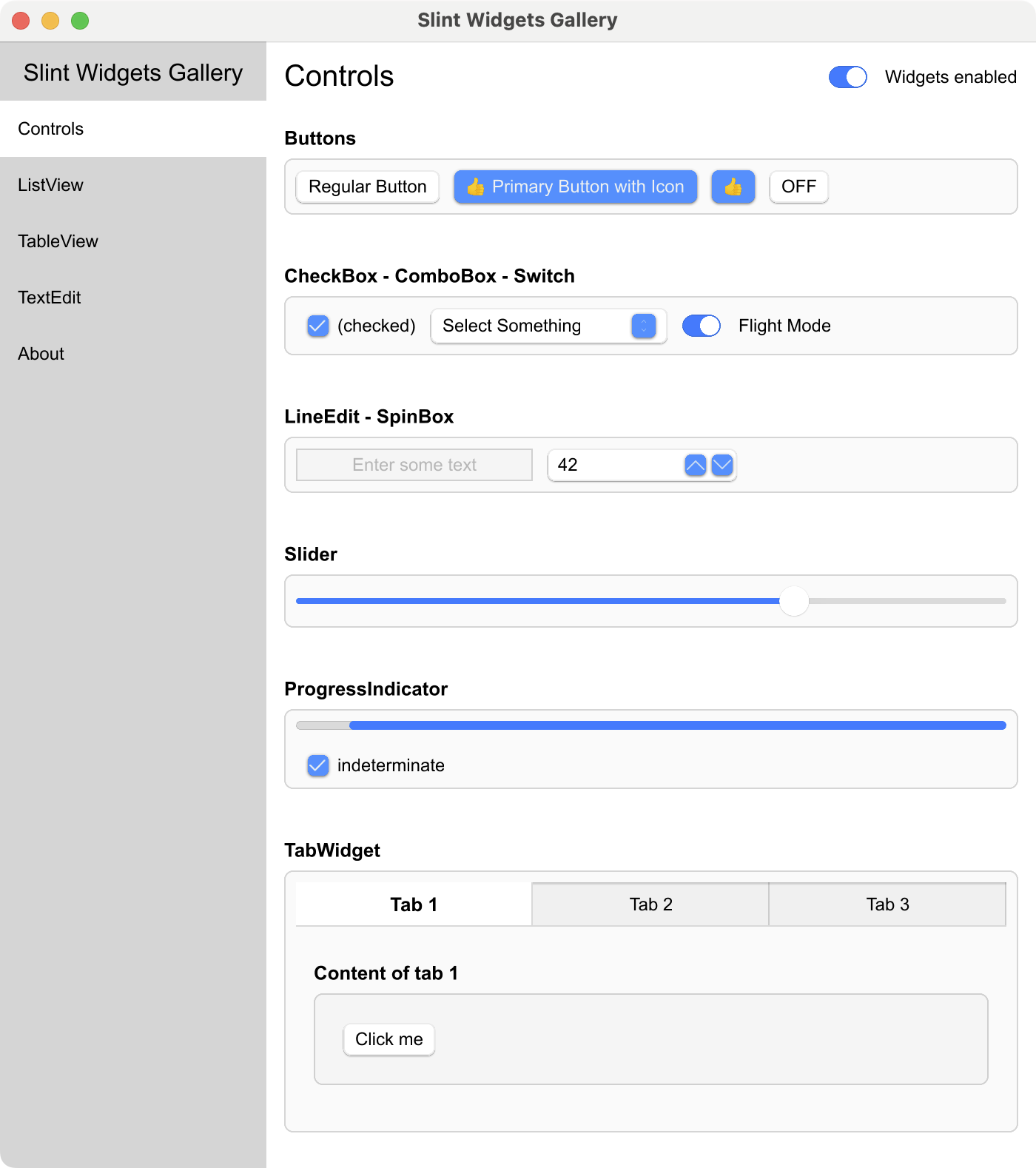 | 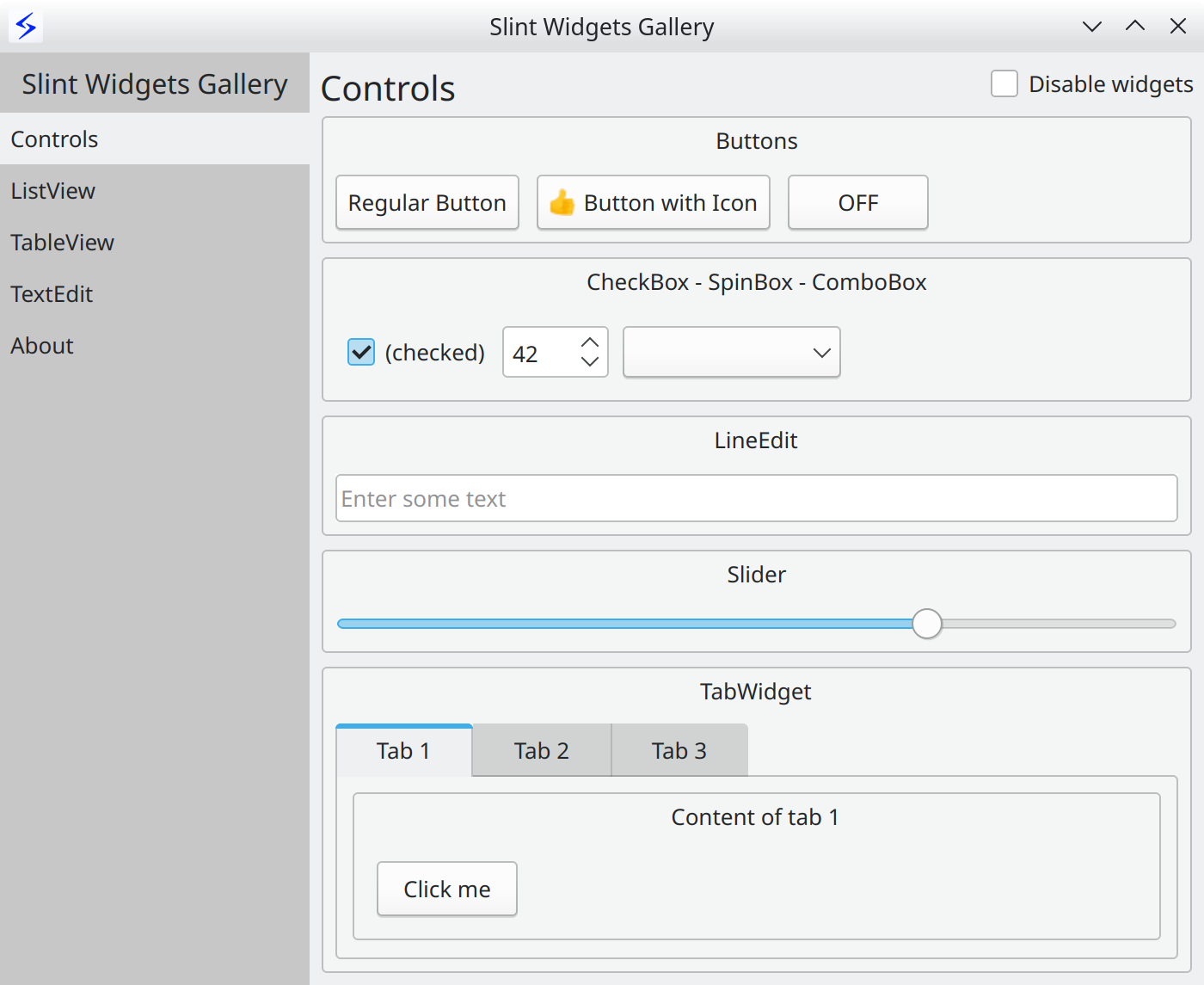 |
Web using WebAssembly
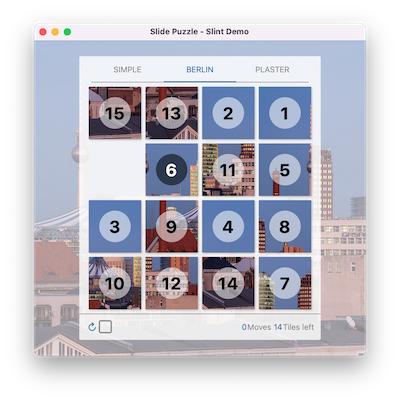
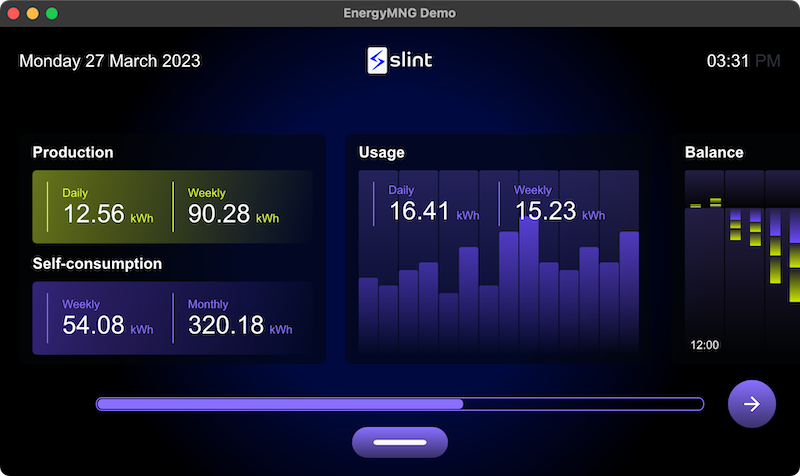
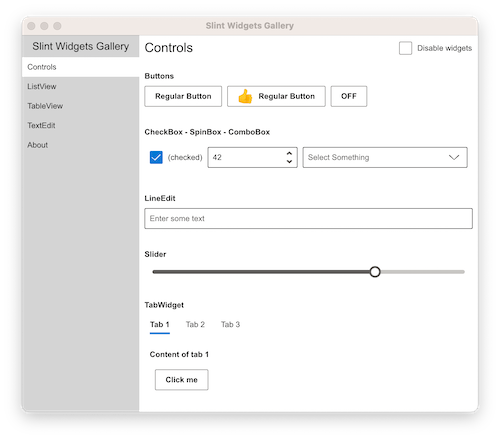
| Printer Demo | Slide Puzzle | Energy Monitor | Widget Gallery | Weather demo |
|---|---|---|---|---|
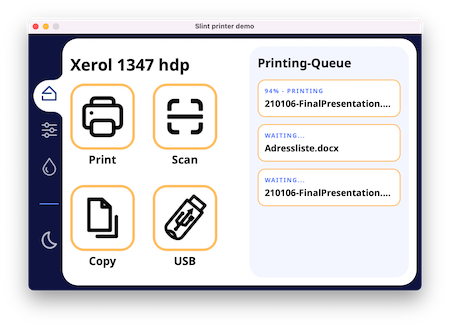 |  |  |  |  |
More examples and demos in the examples folder
Get Started
Hello World
The UI is defined in a Domain Specific Language that is declarative, easy to use, intuitive, and provides a powerful way to describe graphical elements, their placement, their hierarchy, property bindings, and the flow of data through the different states.
Here's the obligatory "Hello World":
export component HelloWorld inherits Window {
    width: 400px;
    height: 400px;

    Text {
       y: parent.width / 2;
       x: parent.x + 200px;
       text: "Hello, world";
       color: blue;
    }
}
Documentation
For more details, check out the Slint Language Documentation.
The examples folder contains examples and demos, showing how to use the Slint markup language and how to interact with a Slint user interface from supported programming languages.
The docs folder contains a lot more information, including
build instructions, and
internal developer docs.
Refer to the README of each language directory in the api folder:
- C++ (Documentation | Getting Started Template)
- Rust
(Documentation | Tutorial Video | Getting Started Template)
- JavaScript/NodeJS (Beta)
(Documentation | Getting Started Template)
- Python (Beta)
(Documentation | Getting Started Template)
Architecture
An application is composed of the business logic written in Rust, C++, or
JavaScript and the .slint user interface design markup, which is compiled to
native code.
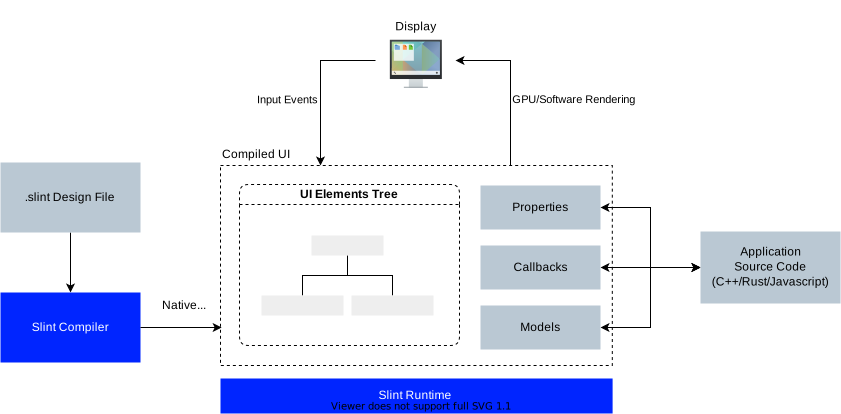
Compiler
The .slint files are compiled ahead of time. The expressions in the .slint
are pure functions that the compiler can optimize. For example, the compiler
could choose to "inline" properties and remove those that are constant or
unchanged.
The compiler uses the typical compiler phases of lexing, parsing, optimization, and finally code generation. It provides different back-ends for code generation in the target language. The C++ code generator produces a C++ header file, the Rust generator produces Rust code, and so on. An interpreter for dynamic languages is also included.
Runtime
The runtime library consists of an engine that supports properties declared in
the .slint language. Components with their elements, items, and properties are
laid out in a single memory region, to reduce memory allocations.
Rendering backends and styles are configurable at compile time:
- The
femtovgrenderer uses OpenGL ES 2.0 for rendering. - The
skiarenderer uses Skia for rendering. - The
softwarerenderer uses the CPU with no additional dependencies.
NOTE: When Qt is installed on the system, the qt style becomes available,
using Qt's QStyle to achieve native looking widgets.
Tooling
We have a few tools to help with the development of .slint files:
- A LSP Server that adds features like auto-complete and live preview of the .slint files to many editors.
- It is bundled in a Visual Studio Code Extension available from the market place.
- A slint-viewer tool which displays the .slint files. The
--auto-reloadargument makes it easy to preview your UI while you are working on it (when using the LSP preview is not possible). - SlintPad, an online editor to try out .slint syntax without installing anything (sources).
- A Figma to Slint plugin.
Please check our Editors README for tips on how to configure your favorite editor to work well with Slint.
License
You can use Slint under any of the following licenses, at your choice:
- Build proprietary desktop, mobile, or web applications for free with the Royalty-free License,
- Build open source embedded, desktop, mobile, or web applications for free with the GNU GPLv3,
- Build proprietary embedded, desktop, mobile, or web applications with the Paid license.
See the Slint licensing options on the website and the Licensing FAQ.
Contributions
We welcome your contributions: in the form of code, bug reports or feedback. For contribution guidelines see CONTRIBUTING.md.
Frequently Asked Questions
Please see our separate FAQ.
About us (SixtyFPS GmbH)
We are passionate about software - API design, cross-platform software development and user interface components. Our aim is to make developing user interfaces fun for everyone: from Python, JavaScript, C++, or Rust developers all the way to UI/UX designers. We believe that software grows organically and keeping it open source is the best way to sustain that growth. Our team members are located remotely in Germany, Finland, and US.
Stay up to date
- Follow @slint_ui on X/Twitter.
- Follow @slint@fosstodon.org on Mastodon.
- Follow @slint-ui on LinkedIn.
- Follow @slint.dev on Bluesky
- Subscribe to our YouTube channel
Contact us
Feel free to join Github discussions for general chat or questions. Use Github issues to report public suggestions or bugs.
We chat in our Mattermost instance where you are welcome to listen in or ask your questions.
You can of course also contact us privately via email to info@slint.dev.