USP
Unlike traditional CMS platforms, Payload combines an app framework with a headless CMS, offering deep Next.js integration and the ability to query databases directly in React Server Components. Its Claude Code plugin further enhances prod…
Use cases
- 01Building Next.js websites and web applications
- 02Developing e-commerce platforms
- 03Managing content for blogs and portfolios
- 04AI-assisted development of CMS schemas
- 05Creating custom backend APIs
Detected files (8)
tools/claude-plugin/skills/payload/SKILL.mdskillShow content (20011 bytes)
--- name: payload description: Use when working with Payload CMS projects (payload.config.ts, collections, fields, hooks, access control, Payload API). Use when debugging validation errors, security issues, relationship queries, transactions, or hook behavior. --- # Payload CMS Application Development Payload is a Next.js native CMS with TypeScript-first architecture, providing admin panel, database management, REST/GraphQL APIs, authentication, and file storage. ## Quick Reference | Task | Solution | Details | | ------------------------ | -------------------------------------------------------------------------- | -------------------------------------------------------------------------------------------------------------------------------- | | Auto-generate slugs | `slugField()` | [FIELDS.md#slug-field-helper](reference/FIELDS.md#slug-field-helper) | | Restrict content by user | Access control with query | [ACCESS-CONTROL.md#row-level-security-with-complex-queries](reference/ACCESS-CONTROL.md#row-level-security-with-complex-queries) | | Local API user ops | `user` + `overrideAccess: false` | [QUERIES.md#access-control-in-local-api](reference/QUERIES.md#access-control-in-local-api) | | Draft/publish workflow | `versions: { drafts: true }` | [COLLECTIONS.md#versioning--drafts](reference/COLLECTIONS.md#versioning--drafts) | | Computed fields | `virtual: true` with **field-level** `hooks.afterRead` returning the value | [FIELDS.md#virtual-fields](reference/FIELDS.md#virtual-fields) | | Conditional fields | `admin.condition` | [FIELDS.md#conditional-fields](reference/FIELDS.md#conditional-fields) | | Custom field validation | `validate` function | [FIELDS.md#validation](reference/FIELDS.md#validation) | | Filter relationship list | `filterOptions` on field | [FIELDS.md#relationship](reference/FIELDS.md#relationship) | | Select specific fields | `select` parameter | [QUERIES.md#field-selection](reference/QUERIES.md#field-selection) | | Auto-set author/dates | beforeChange hook | [HOOKS.md#collection-hooks](reference/HOOKS.md#collection-hooks) | | Prevent hook loops | `req.context` check | [HOOKS.md#context](reference/HOOKS.md#context) | | Cascading deletes | beforeDelete hook | [HOOKS.md#collection-hooks](reference/HOOKS.md#collection-hooks) | | Geospatial queries | `point` field with `near`/`within` | [FIELDS.md#point-geolocation](reference/FIELDS.md#point-geolocation) | | Reverse relationships | `join` field type | [FIELDS.md#join-fields](reference/FIELDS.md#join-fields) | | Next.js revalidation | Context control in afterChange | [HOOKS.md#nextjs-revalidation-with-context-control](reference/HOOKS.md#nextjs-revalidation-with-context-control) | | Query by relationship | Nested property syntax | [QUERIES.md#nested-properties](reference/QUERIES.md#nested-properties) | | Complex queries | AND/OR logic | [QUERIES.md#andor-logic](reference/QUERIES.md#andor-logic) | | Transactions | Pass `req` to operations | [ADAPTERS.md#threading-req-through-operations](reference/ADAPTERS.md#threading-req-through-operations) | | Background jobs | Jobs queue with tasks | [ADVANCED.md#jobs-queue](reference/ADVANCED.md#jobs-queue) | | Custom API routes | Collection custom endpoints | [ADVANCED.md#custom-endpoints](reference/ADVANCED.md#custom-endpoints) | | Cloud storage | Storage adapter plugins | [ADAPTERS.md#storage-adapters](reference/ADAPTERS.md#storage-adapters) | | Multi-language | `localization` config + `localized: true` | [ADVANCED.md#localization](reference/ADVANCED.md#localization) | | Create plugin | `(options) => (config) => Config` | [PLUGIN-DEVELOPMENT.md#plugin-architecture](reference/PLUGIN-DEVELOPMENT.md#plugin-architecture) | | Plugin package setup | Package structure with SWC | [PLUGIN-DEVELOPMENT.md#plugin-package-structure](reference/PLUGIN-DEVELOPMENT.md#plugin-package-structure) | | Add fields to collection | Map collections, spread fields | [PLUGIN-DEVELOPMENT.md#adding-fields-to-collections](reference/PLUGIN-DEVELOPMENT.md#adding-fields-to-collections) | | Plugin hooks | Preserve existing hooks in array | [PLUGIN-DEVELOPMENT.md#adding-hooks](reference/PLUGIN-DEVELOPMENT.md#adding-hooks) | | Check field type | Type guard functions | [FIELD-TYPE-GUARDS.md](reference/FIELD-TYPE-GUARDS.md) | ## Quick Start ```bash npx create-payload-app@latest my-app cd my-app pnpm dev ``` ### Minimal Config ```ts import { buildConfig } from 'payload' import { mongooseAdapter } from '@payloadcms/db-mongodb' import { lexicalEditor } from '@payloadcms/richtext-lexical' import path from 'path' import { fileURLToPath } from 'url' const filename = fileURLToPath(import.meta.url) const dirname = path.dirname(filename) export default buildConfig({ admin: { user: 'users', importMap: { baseDir: path.resolve(dirname), }, }, collections: [Users, Media], editor: lexicalEditor(), secret: process.env.PAYLOAD_SECRET, typescript: { outputFile: path.resolve(dirname, 'payload-types.ts'), }, db: mongooseAdapter({ url: process.env.DATABASE_URL, }), }) ``` ## Essential Patterns ### Basic Collection ```ts import type { CollectionConfig } from 'payload' export const Posts: CollectionConfig = { slug: 'posts', admin: { useAsTitle: 'title', defaultColumns: ['title', 'author', 'status', 'createdAt'], }, fields: [ { name: 'title', type: 'text', required: true }, { name: 'slug', type: 'text', unique: true, index: true }, { name: 'content', type: 'richText' }, { name: 'author', type: 'relationship', relationTo: 'users' }, ], timestamps: true, } ``` For more collection patterns (auth, upload, drafts, live preview), see [COLLECTIONS.md](reference/COLLECTIONS.md). ### Common Fields ```ts // Text field { name: 'title', type: 'text', required: true } // Relationship { name: 'author', type: 'relationship', relationTo: 'users', required: true } // Rich text { name: 'content', type: 'richText', required: true } // Select { name: 'status', type: 'select', options: ['draft', 'published'], defaultValue: 'draft' } // Upload { name: 'image', type: 'upload', relationTo: 'media' } ``` For all field types (array, blocks, point, join, virtual, conditional, etc.), see [FIELDS.md](reference/FIELDS.md). ### Hook Example Hooks live at one of two levels and they are not interchangeable. **Collection hooks** receive `{ doc, data, req, operation, ... }` and act on the whole document. **Field hooks** live inside an individual field's `hooks` object, receive `{ value, siblingData, ... }`, and **return the new value** for that field. Computed/virtual fields, per-field formatters, and per-field access masking are field hooks; cross-field business logic is a collection hook. ```ts // Collection-level: business logic across the document export const Posts: CollectionConfig = { slug: 'posts', hooks: { beforeChange: [ async ({ data, operation }) => { if (operation === 'create') { data.slug = slugify(data.title) } return data }, ], }, fields: [{ name: 'title', type: 'text' }], } // Field-level: compute / format a single field's value (virtual fields use this) export const Users: CollectionConfig = { slug: 'users', fields: [ { name: 'firstName', type: 'text' }, { name: 'lastName', type: 'text' }, { name: 'fullName', type: 'text', virtual: true, hooks: { afterRead: [({ siblingData }) => `${siblingData.firstName} ${siblingData.lastName}`], }, }, ], } ``` When asked to "compute a field" or "populate a field's value in a hook", use a **field-level** hook on that field — never a collection-level `afterRead` that mutates `doc`. For all hook patterns, see [HOOKS.md](reference/HOOKS.md). For access control, see [ACCESS-CONTROL.md](reference/ACCESS-CONTROL.md). ### Access Control with Type Safety ```ts import type { Access } from 'payload' import type { User } from '@/payload-types' // Type-safe access control export const adminOnly: Access = ({ req }) => { const user = req.user as User return user?.roles?.includes('admin') || false } // Row-level access control export const ownPostsOnly: Access = ({ req }) => { const user = req.user as User if (!user) return false if (user.roles?.includes('admin')) return true return { author: { equals: user.id }, } } ``` ### Query Example ```ts // Local API const posts = await payload.find({ collection: 'posts', where: { status: { equals: 'published' }, 'author.name': { contains: 'john' }, }, depth: 2, limit: 10, sort: '-createdAt', }) // Query with populated relationships const post = await payload.findByID({ collection: 'posts', id: '123', depth: 2, // Populates relationships (default is 2) }) // Returns: { author: { id: "user123", name: "John" } } // Without depth, relationships return IDs only const post = await payload.findByID({ collection: 'posts', id: '123', depth: 0, }) // Returns: { author: "user123" } ``` For all query operators and REST/GraphQL examples, see [QUERIES.md](reference/QUERIES.md). ### Getting Payload Instance ```ts // In API routes (Next.js) import { getPayload } from 'payload' import config from '@payload-config' export async function GET() { const payload = await getPayload({ config }) const posts = await payload.find({ collection: 'posts', }) return Response.json(posts) } // In Server Components import { getPayload } from 'payload' import config from '@payload-config' export default async function Page() { const payload = await getPayload({ config }) const { docs } = await payload.find({ collection: 'posts' }) return <div>{docs.map(post => <h1 key={post.id}>{post.title}</h1>)}</div> } ``` ## Security Pitfalls ### 1. Local API Access Control (CRITICAL) **By default, Local API operations bypass ALL access control**, even when passing a user. ```ts // ❌ SECURITY BUG: Passes user but ignores their permissions await payload.find({ collection: 'posts', user: someUser, // Access control is BYPASSED! }) // ✅ SECURE: Actually enforces the user's permissions await payload.find({ collection: 'posts', user: someUser, overrideAccess: false, // REQUIRED for access control }) ``` **When to use each:** - `overrideAccess: true` (default) - Server-side operations you trust (cron jobs, system tasks) - `overrideAccess: false` - When operating on behalf of a user (API routes, webhooks) See [QUERIES.md#access-control-in-local-api](reference/QUERIES.md#access-control-in-local-api). ### 2. Transaction Failures in Hooks **Nested operations in hooks without `req` break transaction atomicity.** ```ts // ❌ DATA CORRUPTION RISK: Separate transaction hooks: { afterChange: [ async ({ doc, req }) => { await req.payload.create({ collection: 'audit-log', data: { docId: doc.id }, // Missing req - runs in separate transaction! }) }, ] } // ✅ ATOMIC: Same transaction hooks: { afterChange: [ async ({ doc, req }) => { await req.payload.create({ collection: 'audit-log', data: { docId: doc.id }, req, // Maintains atomicity }) }, ] } ``` See [ADAPTERS.md#threading-req-through-operations](reference/ADAPTERS.md#threading-req-through-operations). ### 3. Infinite Hook Loops **Hooks triggering operations that trigger the same hooks create infinite loops.** ```ts // ❌ INFINITE LOOP hooks: { afterChange: [ async ({ doc, req }) => { await req.payload.update({ collection: 'posts', id: doc.id, data: { views: doc.views + 1 }, req, }) // Triggers afterChange again! }, ] } // ✅ SAFE: Use context flag hooks: { afterChange: [ async ({ doc, req, context }) => { if (context.skipHooks) return await req.payload.update({ collection: 'posts', id: doc.id, data: { views: doc.views + 1 }, context: { skipHooks: true }, req, }) }, ] } ``` See [HOOKS.md#context](reference/HOOKS.md#context). ## Project Structure ```txt src/ ├── app/ │ ├── (frontend)/ │ │ └── page.tsx │ └── (payload)/ │ └── admin/[[...segments]]/page.tsx ├── collections/ │ ├── Posts.ts │ ├── Media.ts │ └── Users.ts ├── globals/ │ └── Header.ts ├── components/ │ └── CustomField.tsx ├── hooks/ │ └── slugify.ts └── payload.config.ts ``` ## Type Generation ```ts // payload.config.ts export default buildConfig({ typescript: { outputFile: path.resolve(dirname, 'payload-types.ts'), }, // ... }) // Usage import type { Post, User } from '@/payload-types' ``` ## Common Gotchas 1. **Local API bypasses access control** unless you pass `overrideAccess: false` 2. **Missing `req` in nested operations** breaks transaction atomicity 3. **Hook loops** — operations in hooks can re-trigger the same hooks; use `req.context` flags 4. **Field-level access** returns boolean only, no query constraints 5. **Relationship depth** defaults to 2; set `depth: 0` for IDs only 6. **Draft status** — `_status` field is auto-injected when drafts are enabled 7. **Types are stale** until you run `generate:types` 8. **MongoDB transactions** require replica set configuration 9. **SQLite transactions** are disabled by default; enable with `transactionOptions: {}` 10. **Point fields** are not supported in SQLite ## Best Practices ### Security - Default to restrictive access, gradually add permissions - Use `overrideAccess: false` when passing `user` to Local API - Field-level access only returns boolean (no query constraints) - Never trust client-provided data - Use `saveToJWT: true` for roles to avoid database lookups ### Performance - Index frequently queried fields - Use `select` to limit returned fields - Set `maxDepth` on relationships to prevent over-fetching - Prefer query constraints over async operations in access control - Cache expensive operations in `req.context` ### Data Integrity - Always pass `req` to nested operations in hooks - Use context flags to prevent infinite hook loops - Enable transactions for MongoDB (requires replica set) and Postgres - Use `beforeValidate` for data formatting - Use `beforeChange` for business logic ### Type Safety - Run `generate:types` after schema changes - Import types from generated `payload-types.ts` - Type your user object: `import type { User } from '@/payload-types'` - Use field type guards for runtime type checking - When extracting any Payload value into a named constant — a collection, field, hook, access function, plugin, etc. — annotate it with the matching Payload type (`CollectionConfig`, `Field`, `CollectionBeforeChangeHook`, `Access`, `Plugin`, …) or use `satisfies <Type>`. Without an annotation, string properties like `type: 'text'` widen to `string` and discriminated unions (`Field`, `CollectionConfig`) fail to resolve. Inline literals get this for free via contextual typing; extracted constants do not. ### Organization - Keep collections in separate files - Extract access control to `access/` directory - Extract hooks to `hooks/` directory - Use reusable field factories for common patterns - Document complex access control with comments ## Reference Documentation - **[FIELDS.md](reference/FIELDS.md)** - All field types, validation, admin options - **[FIELD-TYPE-GUARDS.md](reference/FIELD-TYPE-GUARDS.md)** - Type guards for runtime field type checking and narrowing - **[COLLECTIONS.md](reference/COLLECTIONS.md)** - Collection configs, auth, upload, drafts, live preview - **[HOOKS.md](reference/HOOKS.md)** - Collection hooks, field hooks, context patterns - **[ACCESS-CONTROL.md](reference/ACCESS-CONTROL.md)** - Collection, field, global access control, RBAC, multi-tenant - **[ACCESS-CONTROL-ADVANCED.md](reference/ACCESS-CONTROL-ADVANCED.md)** - Context-aware, time-based, subscription-based access, factory functions, templates - **[QUERIES.md](reference/QUERIES.md)** - Query operators, Local/REST/GraphQL APIs - **[ENDPOINTS.md](reference/ENDPOINTS.md)** - Custom API endpoints: authentication, helpers, request/response patterns - **[ADAPTERS.md](reference/ADAPTERS.md)** - Database, storage, email adapters, transactions - **[ADVANCED.md](reference/ADVANCED.md)** - Authentication, jobs, endpoints, components, plugins, localization - **[PLUGIN-DEVELOPMENT.md](reference/PLUGIN-DEVELOPMENT.md)** - Plugin architecture, monorepo structure, patterns, best practices ## Resources - llms-full.txt: <https://payloadcms.com/llms-full.txt> - Docs: <https://payloadcms.com/docs> - GitHub: <https://github.com/payloadcms/payload> - Examples: <https://github.com/payloadcms/payload/tree/main/examples> - Templates: <https://github.com/payloadcms/payload/tree/main/templates>.claude/skills/ui4/SKILL.mdskillShow content (17141 bytes)
--- name: ui4 description: Manually invoked skill for reskinning Payload UI components. Requires Figma URL. Usage: /ui4 --- # Payload UI Reskin (ui4) **Figma URL is REQUIRED.** If not provided, ask before proceeding. --- ## Process ### Step 0: Icon Scan **Goal:** Identify icon dependencies before starting work. 1. **Scan component files** for icon imports: ``` grep -E "from.*icons|import.*Icon" packages/ui/src/elements/ComponentName/ ``` 2. **List existing icons** in `packages/ui/src/icons/`: - Each icon has its own folder with `index.tsx` + `index.css` 3. **Compare Figma design** to available icons: - Does the design use icons not currently in the component? - Does the design use icons that don't exist yet? 4. **Document findings:** - **Existing & used:** No action needed - **Existing but not imported:** Will need to add import - **Missing from codebase:** Flag for user — need to source/create icon **Figma Icons Source:** When updating or creating icons, reference the Figma icon library at: ``` ~/figma/figma/fpl/icons/src/icons/ ``` Icon naming convention: `icon-{size}-{name}.tsx` (e.g., `icon-16-close.tsx`, `icon-24-chevron-down.tsx`) To find the correct icon: 1. Note the icon name from Figma design (e.g., "close", "chevron-down") 2. Check both 16px and 24px variants if they exist 3. Read the corresponding files and extract the SVG paths for each size **Icon implementation rules:** 1. **Props:** Icon components MUST accept these props (keep existing props when updating): ```typescript type IconProps = { readonly className?: string readonly size?: 16 | 24 // Add more sizes as needed // ... keep any existing component-specific props } ``` 2. **Multi-size support:** Store path data keyed by size: ```typescript const paths = { 16: 'M4.854 4.146...', // from icon-16-{name}.tsx 24: 'M6.854 6.146...', // from icon-24-{name}.tsx } ``` 3. **SVG rendering:** Use the size prop to select path and viewBox: ```tsx <svg width={size} height={size} viewBox={`0 0 ${size} ${size}`} fill="none"> <path d={paths[size]} fill="currentColor" /> </svg> ``` 4. **Payload conventions:** - Use `fill="currentColor"` instead of `fill="var(--color-icon)"` - Use `fillRule` and `clipRule` (React camelCase) instead of kebab-case - Default size should match most common usage (typically 24) 5. **Reference implementation:** See `packages/ui/src/icons/Chevron/index.tsx` for the pattern. **If icons are missing from Figma source:** Ask user how to proceed before continuing. --- ### Step 1: SCSS → CSS Migration **Goal:** Syntax conversion only. Component must look IDENTICAL after. 1. Read component files: `packages/ui/src/elements/ComponentName/` or `packages/ui/src/fields/ComponentName/` 2. Create `index.css` with converted styles: - `$var` → `var(--token)` - Keep CSS nesting with `&` (preferred) - Remove `@use`/`@import` (tokens are global) - Inline any mixins 3. Update import: `import './index.scss'` → `import './index.css'` 4. Delete `index.scss` 5. Wrap in `@layer payload-default {}` **CRITICAL: SCSS nesting patterns that DON'T work in CSS:** **1. BEM element concatenation (`&__element`):** ```scss // SCSS - WORKS (produces .block__element) .block { &__element { color: red; } &__other { color: blue; } } ``` ```css /* CSS - DOES NOT WORK! &__element is invalid */ /* You must use flat selectors: */ .block { ... } .block__element { color: red; } .block__other { color: blue; } ``` **2. BEM modifier concatenation (`&--modifier`):** ```scss // SCSS - WORKS (produces .block--active) .block { &--active { background: blue; } } ``` ```css /* CSS - DOES NOT WORK! Use flat selector: */ .block { ... } .block--active { background: blue; } ``` **3. Parent reference from child:** ```scss // SCSS - WORKS .child { opacity: 0.5; .parent--active & { opacity: 1; } } ``` ```css /* CSS - DOES NOT WORK! Restructure: */ .child { opacity: 0.5; } .parent--active .child { opacity: 1; } ``` **What DOES work in CSS nesting:** - `&:hover`, `&:focus`, `&:active` (pseudo-classes) - `&::before`, `&::after` (pseudo-elements) - `.parent { .child { } }` (descendant nesting with space) **Migration rule:** Convert all `&__` and `&--` to flat BEM selectors. **Post-migration validation:** After creating the CSS file, run the ui4-review skill to catch any remaining violations (SCSS nesting patterns, hardcoded values, legacy variables). Fix any issues before proceeding. ### Step 2: Analyze Figma Component Variants **Goal:** Understand ALL visual states before implementing CSS. 1. **Get metadata first** to discover variants: ``` mcp_figma2_get_metadata(fileKey, nodeId) ``` 2. **Parse variant properties** from symbol names. Common patterns: - `State=Default, Validation=None, Selected=false, Read Only=false` - Properties often include: State, Validation, Selected, Disabled, Read Only, Size 3. **Build a variant matrix:** | State | Validation | Selected | Read Only | CSS Mapping | | ------- | ---------- | -------- | --------- | -------------------------- | | Default | None | false | false | base styles | | Hover | None | false | false | `:hover` | | Focus | None | false | false | `:focus-visible` | | Default | Invalid | false | false | `.error` or `&--error` | | Default | None | true | false | `.is-selected` | | Default | None | false | true | `.read-only`, `[disabled]` | 4. **Fetch design context for key variants** (in parallel): - Default unselected - Selected - Hover - Focus - Invalid/Error - Disabled/Read-only ``` mcp_figma2_get_design_context(fileKey, variantNodeId) ``` 5. **Compare visual differences** between variants: - Border color changes? - Background color changes? - Inner element visibility/opacity? - Focus ring/outline? - Text color changes? **If access fails:** STOP. Ask user to share file. ### Step 3: Restyle to Match Figma 1. **Read token files** (do this BEFORE writing CSS): - `packages/ui/src/css/spacing.css` — spacer tokens - `packages/ui/src/css/colors.css` — color tokens - `packages/ui/src/css/typography.css` — text tokens - `packages/ui/src/css/radius.css` — border-radius tokens 2. **Update styles** using tokens from files: - Colors: `--bg-*`, `--text-*`, `--icon-*`, `--border-*` - Spacing: `--spacer-*` (ALWAYS check file for matching value) - Typography: `--text-body-*`, `--text-heading-*` - Radius: `--radius-none/small/medium/large/full` 3. **Use canonical shorthands** — see the shorthand table in `.claude/skills/ui4-review/SKILL.md`. 4. **Color rules — NEVER GUESS:** - **Always extract exact token from Figma design context** — the `get_design_context` response includes CSS with token names - **Don't assume hierarchy** — e.g., don't assume "less prominent = tertiary". Check the design. - **When creating new elements** (icons, buttons, etc.), fetch the specific Figma node to get correct colors - If Figma shows a raw hex value, map it to the closest token and note this for user review 5. **Spacing rules:** - First choice: use `--spacer-*` token - If no match: use rem and tell user - NEVER use px (except 1px borders) ### Step 4: Ensure Test Collection Has All Variants **Goal:** Before visual verification, ensure the test collection has field variants for all states. 1. **Read the test collection config:** ``` test/v4/collections/{ComponentName}/index.ts ``` 2. **Check for required variants** based on Figma variant matrix from Step 2: | Figma Variant | Required Field Config | | ---------------- | ----------------------------------------------------------------------------------------- | | Default | `{ name: 'default', type: 'component' }` | | Required | `{ name: 'required', type: 'component', required: true }` | | Disabled | `{ name: 'disabled', type: 'component', admin: { disabled: true }, defaultValue: '...' }` | | Read Only | `{ name: 'readOnly', type: 'component', admin: { readOnly: true }, defaultValue: '...' }` | | With Description | `{ name: 'withDescription', type: 'component', admin: { description: 'Help text' } }` | 3. **Add missing variants** if any are missing. Include `defaultValue` for disabled/readOnly so there's visible content to test. 4. **Restart dev server** if collection was modified: `pnpm run dev v4` --- ### Step 5: Verify with Playwright (LOOP) **Dev Server:** Use `pnpm run dev v4` when working on field components. The `test/v4` suite has dedicated collections for each field type with various states (default, required, disabled). **URL Pattern:** - Fields: `http://localhost:3000/admin/collections/{field-type}-fields/create` - Elements: Use the appropriate page that displays the element **Handling Modal Dialogs (beforeunload):** When the browser has unsaved changes, a "beforeunload" dialog may block ALL Playwright operations. You'll see this error pattern: ``` ### Error Error: Tool "browser_snapshot" does not handle the modal state. ### Modal state - ["beforeunload" dialog with message ""]: can be handled by browser_handle_dialog ``` **BEFORE retrying any operation**, you MUST dismiss the dialog: 1. Call `browser_handle_dialog({ accept: true })` to dismiss 2. Then retry your intended operation (navigate, snapshot, screenshot, etc.) If the dialog persists after handling, call `browser_close()` to close the tab, then `browser_navigate` to reopen the page fresh. **Verification Steps:** 1. Navigate: `browser_navigate` to component page 2. Screenshot: `browser_take_screenshot({ fullPage: true })` 3. Compare to Figma design 4. Check: - [ ] Padding correct? - [ ] Margin correct? - [ ] Gap correct? - [ ] Flex alignment correct? - [ ] Colors match? 5. **Verify ALL variant states:** - [ ] Default state matches Figma default variant? - [ ] Hover state matches Figma hover variant? (use `browser_hover`) - [ ] Focus state matches Figma focus variant? (tab to element) - [ ] Error state matches Figma invalid variant? (trigger validation) - [ ] Disabled/read-only matches Figma disabled variant? - [ ] Selected state matches Figma selected variant? (if applicable) 6. **If wrong:** fix CSS → goto step 1 7. **If correct:** continue ### Step 6: User Confirmation Share screenshot and dev server URL. User validates or requests changes. --- ## CSS Structure Always use `@layer` and CSS nesting: ```css @layer payload-default { .component { display: flex; gap: var(--spacer-2); padding: var(--spacer-2) var(--spacer-3); background: var(--bg-default-secondary); border: 1px solid var(--border-default-default); border-radius: var(--radius-medium); &__header { display: flex; gap: var(--spacer-1); } &--error { border-color: var(--border-danger-strong); } &:hover { background: var(--bg-default-secondary-hover); } } } ``` --- ## Red Flags - STOP | Thought | Reality | | ------------------------------ | ---------------------------------------- | | "I'll use flat selectors" | Use CSS nesting with `&` | | "I'll use 8px here" | Read spacing.css, use token | | "No matching spacer" | Did you actually check spacing.css? | | "I'll guess the colors" | Read colors.css, use exact token | | "Close enough" | Screenshot and compare to Figma | | "Skip verification" | Always run Playwright loop | | "Just need the default state" | Get metadata first, analyze ALL variants | | "I'll figure out states later" | Build variant matrix BEFORE writing CSS | --- ## Step 7: Write Variant E2E Tests **Goal:** Create e2e tests that verify all visual variants from the Figma design. 1. **Create test file** in `test/v4/collections/{ComponentName}/e2e.spec.ts` 2. **Test structure:** ```typescript import type { Page } from '@playwright/test' import { expect, test } from '@playwright/test' import path from 'path' import { fileURLToPath } from 'url' import { ensureCompilationIsDone, initPageConsoleErrorCatch, } from '../../../__helpers/e2e/helpers.js' import { AdminUrlUtil } from '../../../__helpers/shared/adminUrlUtil.js' import { initPayloadE2ENoConfig } from '../../../__helpers/shared/initPayloadE2ENoConfig.js' import { TEST_TIMEOUT_LONG } from '../../../playwright.config.js' import { componentFieldsSlug } from '../../slugs.js' const filename = fileURLToPath(import.meta.url) const currentFolder = path.dirname(filename) const dirname = path.resolve(currentFolder, '../../') const { beforeAll, describe } = test let page: Page let serverURL: string let url: AdminUrlUtil describe('ComponentName Field Variants', () => { beforeAll(async ({ browser }, testInfo) => { testInfo.setTimeout(TEST_TIMEOUT_LONG) ;({ serverURL } = await initPayloadE2ENoConfig({ dirname })) url = new AdminUrlUtil(serverURL, componentFieldsSlug) const context = await browser.newContext() page = await context.newPage() initPageConsoleErrorCatch(page) await ensureCompilationIsDone({ page, serverURL }) }) // Test each variant from the Figma design }) ``` 3. **Write tests for each Figma variant:** Map the variant matrix from Step 2 to test cases: ```typescript test('default state renders correctly', async () => { await page.goto(url.create) const field = page.locator('#field-componentName') await expect(field).toBeVisible() // Verify visual properties match Figma default variant }) test('hover state shows correct styling', async () => { await page.goto(url.create) const field = page.locator('#field-componentName') await field.hover() // Verify hover styles match Figma hover variant }) test('focus state shows correct styling', async () => { await page.goto(url.create) const field = page.locator('#field-componentName') await field.focus() // Verify focus ring/outline matches Figma focus variant }) test('error state renders correctly', async () => { await page.goto(url.create) // Trigger validation by submitting without required field await page.locator('button#action-save').click() const field = page.locator('#field-requiredComponent') // Verify error styling matches Figma invalid variant }) test('disabled state renders correctly', async () => { await page.goto(url.create) const field = page.locator('#field-disabledComponent') await expect(field).toBeDisabled() // Verify disabled styling matches Figma disabled variant }) test('read-only state renders correctly', async () => { await page.goto(url.create) const field = page.locator('#field-readOnlyComponent') await expect(field).toHaveAttribute('readonly') // Verify read-only styling matches Figma read-only variant }) ``` 4. **Collection variants already configured:** (See Step 4) The test collection should already have all required variants from Step 4. 5. **Run tests to verify:** ```bash pnpm run test:e2e --grep "ComponentName Field Variants" ``` --- ## Step 8: Run ui4-review **After user confirms the component looks correct, invoke the `ui4-review` skill.** This will: 1. Scan all changed CSS files 2. Auto-fix any remaining hardcoded values 3. Report what was fixed/flagged --- ## Reference - Example migrated component: `packages/ui/src/elements/Button/index.css` - Token files: `packages/ui/src/css/*.css` - **v4 test suite:** `test/v4/` — dedicated collections per field type - Each collection should have: default, required, disabled, readOnly field variants - Disabled/readOnly fields need `defaultValue` for visible content - Run with: `pnpm run dev v4` - URL: `http://localhost:3000/admin/collections/{slug}/create` - Available: `text-fields`, `textarea-fields`, `email-fields`, `number-fields`, `password-fields`, `checkbox-fields`, `select-fields`, `relationship-fields`, `upload-fields`, `slug-fields`, `code-fields`, `json-fields`, `collapsible-fields`, `group-fields`, `tabs-fields`, `point-fields`, `radio-fields`, `row-fields`, `array-fields`, `blocks-fields`, `date-fields` - **E2E test examples:** See `test/fields/collections/*/e2e.spec.ts` for patterns - Test helper imports from `test/__helpers/e2e/helpers.js` - Use `AdminUrlUtil` for URL construction - Use `initPayloadE2ENoConfig` for test setup.claude/skills/generate-translations/SKILL.mdskillShow content (4343 bytes)
--- name: generate-translations description: Use when new translation keys are added to packages to generate new translations strings allowed-tools: Write, Bash(date:*), Bash(mkdir -p *) --- # Translation Generation Guide Payload has two separate translation systems: 1. **Core Translations** - for core Payload packages (packages/ui, packages/payload, packages/next) 2. **Plugin Translations** - for plugins (packages/plugin-\*) ## Table of Contents - [1. Core Translations](#1-core-translations) - [2. Plugin Translations](#2-plugin-translations) - [Scaffolding New Plugin Translations](#scaffolding-new-plugin-translations) - [Important Notes](#important-notes) --- ## 1. Core Translations **When to use:** Adding translations to core Payload packages (packages/ui, packages/payload, packages/next) ### Steps: 1. **Add the English translation** to `packages/translations/src/languages/en.ts` - Add your new key/value to the appropriate section (e.g., `authentication`, `general`, `fields`, etc.) - Use nested objects for organization - Example: ```typescript export const enTranslations = { authentication: { // ... existing keys newFeature: 'New Feature Text', }, } ``` 2. **Add client key** (if needed for client-side usage) to `packages/translations/src/clientKeys.ts` - Add the translation key path using colon notation - Example: `'authentication:newFeature'` - Client keys are used for translations that need to be available in the browser 3. **Generate translations for all languages** - Change directory: `cd tools/scripts` - Run: `pnpm generateTranslations:core` - This auto-translates your new English keys to all other supported languages --- ## 2. Plugin Translations **When to use:** Adding translations to any plugin package (packages/plugin-\*) ### Steps: 1. **Verify plugin has translations folder** - Check if `packages/plugin-{name}/src/translations` exists - If it doesn't exist, see "Scaffolding New Plugin Translations" below 2. **Add the English translation** to the plugin's `packages/plugin-{name}/src/translations/languages/en.ts` - Plugin translations are namespaced under the plugin name - Example for plugin-multi-tenant: ```typescript export const enTranslations = { 'plugin-multi-tenant': { 'new-feature-label': 'New Feature', }, } ``` 3. **Generate translations for all languages** - Change directory: `cd tools/scripts` - Run the plugin-specific script: `pnpm generateTranslations:plugin-{name}` - Examples: - `pnpm generateTranslations:plugin-multi-tenant` - `pnpm generateTranslations:plugin-ecommerce` - `pnpm generateTranslations:plugin-import-export` ### Scaffolding New Plugin Translations If a plugin doesn't have a translations folder yet, **ask the user if they want to scaffold one**. #### Structure to create: ``` packages/plugin-{name}/src/translations/ ├── index.ts ├── types.ts └── languages/ ├── en.ts ├── es.ts └── ... (all other language files) ``` #### Files to create: 1. **types.ts** - Define the plugin's translation types 2. **index.ts** - Export all translations and re-export types 3. **languages/en.ts** - English translations (the source for generation) 4. **languages/\*.ts** - Other language files (initially empty, will be generated) #### Generation script to create: 1. Create `tools/scripts/src/generateTranslations/plugin-{name}.ts` - Use `plugin-multi-tenant.ts` as a template - Update the import paths to point to the new plugin - Update the targetFolder path 2. Add script to `tools/scripts/package.json`: ```json "generateTranslations:plugin-{name}": "node --no-deprecation --import @swc-node/register/esm-register src/generateTranslations/plugin-{name}.ts" ``` --- ## Important Notes - All translation generation requires `OPENAI_KEY` environment variable to be set - The generation scripts use OpenAI to translate from English to other languages - Always add translations to English first - it's the source of truth - **Core translations**: Client keys are only needed for translations used in the browser/admin UI - **Plugin translations**: Automatically namespaced under the plugin name to avoid conflicts.claude/skills/audit-dependencies/SKILL.mdskillShow content (11173 bytes)
--- name: audit-dependencies description: Use when fixing dependency vulnerabilities, running pnpm audit, or when the audit-dependencies CI check fails user-invocable: true disable-model-invocation: true argument-hint: 'critical|high|moderate|low' --- # Audit Dependencies ## Overview Fix dependency vulnerabilities reported by `.github/workflows/audit-dependencies.sh`. Prefer fixes in this order: direct dependency bump > lockfile update > pnpm override. Every override requires justification for why simpler approaches aren't feasible. ## Core Workflow ```dot digraph audit { "Run audit script" [shape=box]; "Group by package" [shape=box]; "Trace dependency chain" [shape=box]; "Can bump direct dep?" [shape=diamond]; "Research breaking changes" [shape=box]; "Breaking changes acceptable?" [shape=diamond]; "Apply direct bump" [shape=box]; "Is version pinned or ranged?" [shape=diamond]; "Lockfile update" [shape=box]; "Apply pnpm override" [shape=box]; "More packages?" [shape=diamond]; "Present plan to user" [shape=box]; "Install and verify" [shape=box]; "Build and verify" [shape=box]; "Commit and create PR" [shape=box]; "Run audit script" -> "Group by package"; "Group by package" -> "Trace dependency chain"; "Trace dependency chain" -> "Can bump direct dep?"; "Can bump direct dep?" -> "Research breaking changes" [label="yes"]; "Can bump direct dep?" -> "Is version pinned or ranged?" [label="no"]; "Research breaking changes" -> "Breaking changes acceptable?"; "Breaking changes acceptable?" -> "Apply direct bump" [label="yes"]; "Breaking changes acceptable?" -> "Is version pinned or ranged?" [label="no"]; "Is version pinned or ranged?" -> "Lockfile update" [label="ranged - fix is in range"]; "Is version pinned or ranged?" -> "Apply pnpm override" [label="pinned - explain why"]; "Apply direct bump" -> "More packages?"; "Lockfile update" -> "More packages?"; "Apply pnpm override" -> "More packages?"; "More packages?" -> "Trace dependency chain" [label="yes"]; "More packages?" -> "Present plan to user" [label="no"]; "Present plan to user" -> "Install and verify"; "Install and verify" -> "Build and verify"; "Build and verify" -> "Commit and create PR"; } ``` ## Step-by-Step ### 1. Run the Audit Script ```bash ./.github/workflows/audit-dependencies.sh $ARGUMENTS ``` `$ARGUMENTS` is the severity passed to the skill (defaults to `high` if omitted). The script runs `pnpm audit --prod --json` and filters for actionable vulnerabilities (those with a patched version available). `high` includes `critical`. Parse the output to build a deduplicated list of vulnerable packages with: - Package name and current version - Fixed version requirement - Full dependency chain (e.g., `packages/plugin-sentry > @sentry/nextjs > rollup`) ### 2. For Each Vulnerable Package #### Trace the dependency chain Identify whether the vulnerable package is: - **Direct dependency**: Listed in a workspace package's `package.json` - **Transitive dependency**: Pulled in by another package #### Try direct bump first For transitive deps, walk up the chain to find the nearest package you control: 1. Check if bumping the **parent package** resolves the vulnerability - `pnpm view <parent>@latest dependencies.<vulnerable-pkg>` - Check intermediate versions too (the fix may exist in a minor bump) 2. If the parent bump resolves it, research breaking changes: - Check changelogs/release notes - Search GitHub issues for compatibility problems - Review the API surface used in this repo (read the source files) - Check if the version range crosses a major version boundary 3. Present findings to user with risk assessment **Parallelize research**: When multiple packages need breaking change analysis, dispatch parallel agents (one per package) to research simultaneously. #### Check if a lockfile update is sufficient Before reaching for an override, check whether the parent's version specifier is **pinned** (exact version like `3.10.3`) or **ranged** (like `^2.3.1`, `~4.0.3`): ```bash pnpm view <parent> dependencies.<vulnerable-pkg> ``` If the range already includes the fixed version, a lockfile update is all that's needed: ```bash pnpm update <vulnerable-pkg> --recursive ``` No `package.json` changes required — the lockfile was just stale. #### Fall back to override only when justified Add a pnpm override in root `package.json` only when: - The parent pins an exact version that doesn't satisfy the fix - No version of the parent package fixes the vulnerability - The parent bump has high breaking change risk (major API changes, no test coverage, requires code changes across many files) - The user explicitly decides to defer the parent bump to a separate PR Override format: `"<parent>><vulnerable-pkg>": "^<fixed-version>"` **Override syntax rules:** - Use `^` ranges, not `>=`. `>=` can cross major versions and cause unexpected resolutions (e.g., `"picomatch": ">=2.3.2"` can resolve to 4.x). - pnpm only supports single-level parent scoping: `"parent>pkg"` works, `"grandparent>parent>pkg"` does not. - pnpm does not support version selectors in override keys: `"pkg@^2"` does not work. - If the same vulnerable package appears through many transitive paths, a global override may be needed. Be careful that it doesn't affect unrelated consumers on a different major version — use parent-scoped overrides when the package spans multiple major versions across the tree. - pnpm only honors `overrides` in the root workspace `package.json`. Overrides in workspace packages are ignored. Before adding any override, verify the target version exists: ```bash pnpm view <pkg>@<version> version ``` ### 3. Present Plan to User Before applying fixes, present a summary table to the user showing each vulnerability, the proposed fix strategy (direct bump / lockfile update / override), and justification. Get confirmation before proceeding. ### 4. Apply Fixes - Edit `package.json` files for direct bumps - Run `pnpm update <pkg> --recursive` for lockfile-only fixes - Edit root `package.json` `pnpm.overrides` for overrides (keep alphabetical) - If a direct bump changes behavior, update consuming code (e.g., adding `allowOverwrite: true` when an API default changes) ### 5. Install and Verify ```bash pnpm install ``` If install fails due to native build errors (e.g., `better-sqlite3`), fall back to: ```bash pnpm install --ignore-scripts ``` Then re-run the audit script with the same severity: ```bash ./.github/workflows/audit-dependencies.sh $ARGUMENTS ``` The audit script must exit 0. If vulnerabilities remain, check for additional instances of the same dependency in other workspace packages. ### 6. Build and Verify ```bash pnpm run build:core ``` For packages with changed dependencies, also run their specific build: ```bash pnpm run build:<package-name> ``` ### 7. Look Up CVEs For each fixed vulnerability, find the GitHub Security Advisory (GHSA): - Check `https://github.com/<org>/<repo>/security/advisories` for each package - Search the web for `<package-name> GHSA <fixed-version>` - Record: GHSA ID, CVE ID, severity, one-line description - Prefer GHSA links (`https://github.com/advisories/GHSA-xxxx-xxxx-xxxx`) over NVD links **Parallelize CVE lookups**: Dispatch parallel agents to search for CVEs across all packages simultaneously. ### 8. Commit and Create PR Commit with conventional commit format: ``` fix(deps): resolve $ARGUMENTS severity audit vulnerabilities ``` Create PR using `gh pr create` with this body structure: ```markdown # Overview [What the PR fixes, mention `pnpm audit --prod`] ## Key Changes - **[Package name] in [workspace path]** - [old version] → [new version]. Fixes [GHSA-xxxx-xxxx-xxxx](https://github.com/advisories/GHSA-xxxx-xxxx-xxxx) ([description]). - [Why this approach: direct bump because X / lockfile update because Y / override because Z] - [Any code changes required by the bump] ## Design Decisions [Why direct bumps were preferred, justification for any remaining overrides] ``` ## Common Mistakes | Mistake | Fix | | ------------------------------------------------- | ----------------------------------------------------------------------------------------------------------------------------------------------------------- | | Jumping straight to overrides | Check: can you bump the parent? If not, does the semver range already allow the fix (lockfile update)? Only then override. | | Using `>=` in override ranges | Use `^` to stay within the same major version. `>=2.3.2` can resolve to 4.x. | | Not checking pinned vs ranged | `pnpm view <parent> dependencies.<pkg>` — if ranged and the fix is in range, just `pnpm update`. | | Nested override scoping (`a>b>c`) | pnpm only supports single-level: `"parent>pkg"`. For deeper chains, override the direct parent or use a global override. | | Version selectors in override keys (`pkg@^2`) | Not supported by pnpm. Use parent-scoped or global overrides instead. | | Global override affecting multiple major versions | `"picomatch": ">=4.0.4"` forces all picomatch to 4.x, breaking consumers that need 2.x. Scope overrides to the parent when a package spans multiple majors. | | Not checking all workspace packages | Same dep may appear in multiple `package.json` files (e.g., `changelogen` in both `tools/releaser` and `tools/scripts`) | | Overriding with a nonexistent version | Verify the target version exists with `pnpm view` before installing | | Not falling back to `--ignore-scripts` | Pre-existing native build failures block `pnpm install`; use `--ignore-scripts` to get lockfile updated | | Missing code changes for breaking bumps | If a bump changes API defaults, update the calling code | | Forgetting advisory links in PR | Always look up and include GHSA links for each vulnerability | | Applying fixes without user confirmation | Present the full plan (strategy per vuln + justification) and get confirmation before making changes |.claude/skills/triage-ci-flake/SKILL.mdskillShow content (15658 bytes)
--- name: triage-ci-flake description: Use when CI tests fail on main branch after PR merge, or when investigating flaky test failures in CI environments allowed-tools: Write, Bash(date:*), Bash(mkdir -p *) --- # Triage CI Failure ## Overview Systematic workflow for triaging and fixing test failures in CI, especially flaky tests that pass locally but fail in CI. Tests that made it to `main` are usually flaky due to timing, bundling, or environment differences. **CRITICAL RULE: You MUST run the reproduction workflow before proposing any fixes. No exceptions.** ## When to Use - CI test fails on `main` branch after PR was merged - Test passes locally but fails in CI - Test failure labeled as "flaky" or intermittent - E2E or integration test timing out in CI only ## MANDATORY First Steps **YOU MUST EXECUTE THESE COMMANDS. Reading code or analyzing logs does NOT count as reproduction.** 1. **Extract** suite name, test name, and error from CI logs 2. **EXECUTE**: Kill port 3000 to avoid conflicts 3. **EXECUTE**: `pnpm dev $SUITE_NAME` (use run_in_background=true) 4. **EXECUTE**: Wait for server to be ready (check with curl or sleep) 5. **EXECUTE**: Run the specific failing test with Playwright directly (npx playwright test test/TEST_SUITE_NAME/e2e.spec.ts:31:3 --headed -g "TEST_DESCRIPTION_TARGET_GOES_HERE") 6. **If test passes**, **EXECUTE**: `pnpm prepare-run-test-against-prod` 7. **EXECUTE**: `pnpm dev:prod $SUITE_NAME` and run test again **Only after EXECUTING these commands and seeing their output** can you proceed to analysis and fixes. **"Analysis from logs" is NOT reproduction. You must RUN the commands.** ## Core Workflow ```dot digraph triage_ci { "CI failure reported" [shape=box]; "Extract details from CI logs" [shape=box]; "Identify suite and test name" [shape=box]; "Run dev server: pnpm dev $SUITE" [shape=box]; "Run specific test by name" [shape=box]; "Did test fail?" [shape=diamond]; "Debug with dev code" [shape=box]; "Run prepare-run-test-against-prod" [shape=box]; "Run: pnpm dev:prod $SUITE" [shape=box]; "Run specific test again" [shape=box]; "Did test fail now?" [shape=diamond]; "Debug bundling issue" [shape=box]; "Unable to reproduce - check logs" [shape=box]; "Fix and verify" [shape=box]; "CI failure reported" -> "Extract details from CI logs"; "Extract details from CI logs" -> "Identify suite and test name"; "Identify suite and test name" -> "Run dev server: pnpm dev $SUITE"; "Run dev server: pnpm dev $SUITE" -> "Run specific test by name"; "Run specific test by name" -> "Did test fail?"; "Did test fail?" -> "Debug with dev code" [label="yes"]; "Did test fail?" -> "Run prepare-run-test-against-prod" [label="no"]; "Run prepare-run-test-against-prod" -> "Run: pnpm dev:prod $SUITE"; "Run: pnpm dev:prod $SUITE" -> "Run specific test again"; "Run specific test again" -> "Did test fail now?"; "Did test fail now?" -> "Debug bundling issue" [label="yes"]; "Did test fail now?" -> "Unable to reproduce - check logs" [label="no"]; "Debug with dev code" -> "Fix and verify"; "Debug bundling issue" -> "Fix and verify"; } ``` ## Step-by-Step Process ### 1. Extract CI Details From CI logs or GitHub Actions URL, identify: - **Suite name**: Directory name (e.g., `i18n`, `fields`, `lexical`) - **Test file**: Full path (e.g., `test/i18n/e2e.spec.ts`) - **Test name**: Exact test description - **Error message**: Full stack trace - **Test type**: E2E (Playwright) or integration (Vitest) ### 2. Reproduce with Dev Code **CRITICAL: Always run the specific test by name, not the full suite.** **SERVER MANAGEMENT RULES:** 1. **ALWAYS kill all servers before starting a new one** 2. **NEVER assume ports are free** 3. **ALWAYS wait for server ready confirmation before running tests** ```bash # ======================================== # STEP 2A: STOP ALL SERVERS # ======================================== lsof -ti:3000 | xargs kill -9 2>/dev/null || echo "Port 3000 clear" # ======================================== # STEP 2B: START DEV SERVER # ======================================== # Start dev server with the suite (in background with run_in_background=true) pnpm dev $SUITE_NAME # ======================================== # STEP 2C: WAIT FOR SERVER READY # ======================================== # Wait for server to be ready (REQUIRED - do not skip) until curl -s http://localhost:3000/admin > /dev/null 2>&1; do sleep 1; done && echo "Server ready" # ======================================== # STEP 2D: RUN SPECIFIC TEST # ======================================== # Run ONLY the specific failing test using Playwright directly # For E2E tests (DO NOT use pnpm test:e2e as it spawns its own server): pnpm exec playwright test test/$SUITE_NAME/e2e.spec.ts -g "exact test name" # For integration tests: pnpm test:int $SUITE_NAME -t "exact test name" ``` **Did the test fail?** - ✅ **YES**: You reproduced it! Proceed to debug with dev code. - ❌ **NO**: Continue to step 3 (bundled code test). ### 3. Reproduce with Bundled Code If test passed with dev code, the issue is likely in bundled/production code. **IMPORTANT: You MUST stop the dev server before starting prod server.** ```bash # ======================================== # STEP 3A: STOP ALL SERVERS (INCLUDING DEV SERVER FROM STEP 2) # ======================================== lsof -ti:3000 | xargs kill -9 2>/dev/null || echo "Port 3000 clear" # ======================================== # STEP 3B: BUILD AND PACK FOR PROD # ======================================== # Build all packages and pack them (this takes time - be patient) pnpm prepare-run-test-against-prod # ======================================== # STEP 3C: START PROD SERVER # ======================================== # Start prod dev server (in background with run_in_background=true) pnpm dev:prod $SUITE_NAME # ======================================== # STEP 3D: WAIT FOR SERVER READY # ======================================== # Wait for server to be ready (REQUIRED - do not skip) until curl -s http://localhost:3000/admin > /dev/null 2>&1; do sleep 1; done && echo "Server ready" # ======================================== # STEP 3E: RUN SPECIFIC TEST # ======================================== # Run the specific test again using Playwright directly pnpm exec playwright test test/$SUITE_NAME/e2e.spec.ts -g "exact test name" # OR for integration tests: pnpm test:int $SUITE_NAME -t "exact test name" ``` **Did the test fail now?** - ✅ **YES**: Bundling or production build issue. Look for: - Missing exports in package.json - Build configuration problems - Code that behaves differently when bundled - ❌ **NO**: Unable to reproduce locally. Proceed to step 4. ### 4. Unable to Reproduce If you cannot reproduce locally after both attempts: - Review CI logs more carefully for environment differences - Check for race conditions (run test multiple times: `for i in {1..10}; do pnpm test:e2e...; done`) - Look for CI-specific constraints (memory, CPU, timing) - Consider if it's a true race condition that's highly timing-dependent ## Common Flaky Test Patterns ### Race Conditions - Page navigating while assertions run - Network requests not settled before assertions - State updates not completed **Fix patterns:** - Use Playwright's web-first assertions (`toBeVisible()`, `toHaveText()`) - Wait for specific conditions, not arbitrary timeouts - Use `waitForFunction()` with condition checks ### Test Pollution - Tests leaving data in database - Shared state between tests - Missing cleanup in `afterEach` **Fix patterns:** - Track created IDs and clean up in `afterEach` - Use isolated test data - Don't use `deleteAll` that affects other tests ### Timing Issues - `setTimeout`/`sleep` instead of condition-based waiting - Not waiting for page stability - Animations/transitions not complete **Fix patterns:** - Use `waitForPageStability()` helper - Wait for specific DOM states - Use Playwright's built-in waiting mechanisms ## Linting Considerations When fixing e2e tests, be aware of these eslint rules: - `playwright/no-networkidle` - Avoid `waitForLoadState('networkidle')` (use condition-based waiting instead) - `payload/no-wait-function` - Avoid custom `wait()` functions (use Playwright's built-in waits) - `payload/no-flaky-assertions` - Avoid non-retryable assertions - `playwright/prefer-web-first-assertions` - Use built-in Playwright assertions **Existing code may violate these rules** - when adding new code, follow the rules even if existing code doesn't. ## Verification After fixing: ```bash # Ensure dev server is running on port 3000 # Run test multiple times to confirm stability for i in {1..10}; do pnpm exec playwright test test/$SUITE_NAME/e2e.spec.ts -g "exact test name" || break done # Run full suite pnpm exec playwright test test/$SUITE_NAME/e2e.spec.ts # If you modified bundled code, test with prod build lsof -ti:3000 | xargs kill -9 2>/dev/null pnpm prepare-run-test-against-prod pnpm dev:prod $SUITE_NAME until curl -s http://localhost:3000/admin > /dev/null; do sleep 1; done pnpm exec playwright test test/$SUITE_NAME/e2e.spec.ts ``` ## The Iron Law **NO FIX WITHOUT REPRODUCTION FIRST** If you propose a fix before completing steps 1-3 of the workflow, you've violated this skill. **This applies even when:** - The fix seems obvious from the logs - You've seen this error before - Time pressure from the team - You're confident about the root cause - The logs show clear stack traces **No exceptions. Run the reproduction workflow first.** ## Rationalization Table Every excuse for skipping reproduction, and why it's wrong: | Rationalization | Reality | | ------------------------------------ | ---------------------------------------------- | | "The logs show the exact error" | Logs show symptoms, not root cause. Reproduce. | | "I can see the problem in the code" | You're guessing. Reproduce to confirm. | | "This is obviously a race condition" | Maybe. Reproduce to be sure. | | "I've seen this error before" | This might be different. Reproduce. | | "The stack trace is clear" | Stack trace shows where, not why. Reproduce. | | "Time pressure - need to fix fast" | Reproducing IS fast. Guessing wastes time. | | "The test file shows the issue" | Reading ≠ running. Execute the commands. | | "I'll analyze the code first" | Code analysis comes AFTER reproduction. | | "Let me investigate the root cause" | Reproduction IS the investigation. | | "I need to understand the error" | Understanding comes from seeing it fail. | ## Red Flags - STOP These thoughts mean you're about to violate the skill: - "Let me just fix the obvious issue" → STOP. Execute reproduction first. - "I'll increase the timeout" → STOP. Find root cause via reproduction. - "This looks like X from the logs" → STOP. Run the test. - "I'll run the full suite" → STOP. Run specific test first. - "Let me check the code" → STOP. Run reproduction first. - "I can see the problem in the stack trace" → STOP. Reproduce to confirm. - "The logs are clear enough" → STOP. Execute the commands. - "Let me analyze..." → STOP. Analysis comes after reproduction. **All of these mean: Stop immediately. Execute the reproduction commands. No analysis without execution.** ## Example Session **CORRECT approach - executes commands first:** ``` User: CI failed on i18n suite - https://github.com/.../actions/runs/XXX Agent: 1. Extracted details from CI logs: - Suite: i18n - Test: "ensure translations update correctly when switching language" - File: test/i18n/e2e.spec.ts:124 - Error: "Error loading language: en" TypeError: network error 2. Executing reproduction workflow: [Uses Bash tool to kill ports] $ lsof -ti:3000 | xargs kill -9 2>/dev/null || echo "Port 3000 clear" [Uses Bash tool with run_in_background=true] $ pnpm dev i18n [Waits for server to start with curl check] $ until curl -s http://localhost:3000/admin > /dev/null; do sleep 1; done && echo "Server ready" [Uses Bash tool to run Playwright directly] $ pnpm exec playwright test test/i18n/e2e.spec.ts -g "ensure translations update correctly when switching language" Output shows: Test PASSED locally 3. Test passed with dev code, trying bundled code: [Kills ports again] $ lsof -ti:3000 | xargs kill -9 2>/dev/null [Uses Bash tool] $ pnpm prepare-run-test-against-prod [Uses Bash tool with run_in_background=true] $ pnpm dev:prod i18n [Waits for server] $ until curl -s http://localhost:3000/admin > /dev/null; do sleep 1; done [Uses Bash tool] $ pnpm exec playwright test test/i18n/e2e.spec.ts -g "ensure translations update correctly when switching language" Output shows: Test FAILED - reproduced! 4. Now that I've reproduced it, analyzing the failure... [Code analysis, root cause identification] 5. Implementing fix: [specific changes] 6. Verification: [Uses Bash tool] $ for i in {1..10}; do pnpm test:e2e i18n -g "exact test"; done All 10 runs passed! ``` **INCORRECT approach - analyzes without executing:** ``` User: CI failed on i18n suite Agent: Looking at the error logs, I can see this is a race condition... [Analyzes code, proposes fix without running any commands] ❌ WRONG - This violates the skill. Must execute reproduction commands first. ``` ## Common Mistakes | Mistake | Fix | | --------------------------------- | -------------------------------------------------------- | | Running full test suite first | Run specific test by name | | Skipping dev code reproduction | Always try dev code first | | Not testing with bundled code | If dev passes, test with `prepare-run-test-against-prod` | | Proposing fix without reproducing | Follow the workflow - reproduce first | | Using `networkidle` in new code | Use condition-based waiting with `waitForFunction()` | | Adding arbitrary `wait()` calls | Use Playwright's built-in assertions and waits | ## Key Principles 1. **Reproduce before fixing**: Never propose a fix without reproducing the issue 2. **Test specifically**: Run the exact failing test, not the full suite 3. **Dev first, prod second**: Check dev code before bundled code 4. **Follow the workflow**: No shortcuts - the steps exist to save time 5. **Verify stability**: Run tests multiple times to confirm fix ## Completion: Creating a PR **After you have:** 1. ✅ Reproduced the issue 2. ✅ Implemented a fix 3. ✅ Verified the fix passes locally (multiple runs) 4. ✅ Tested with prod build (if applicable) **You MUST prompt the user to create a PR:** ``` The fix has been verified and is ready for review. Would you like me to create a PR with these changes? Summary of changes: - [List files modified] - [Brief description of the fix] - [Verification results] ``` **IMPORTANT:** - **DO NOT automatically create a PR** - always ask the user first - Provide a clear summary of what was changed and why - Include verification results (number of test runs, pass rate) - Let the user decide whether to create the PR immediately or make additional changes first This ensures the user has visibility and control over what gets submitted for review..claude/skills/ui4-review/SKILL.mdskillShow content (5297 bytes)
--- name: ui4-review description: Review UI4 CSS migrations for proper token usage. Checks that CSS variables are used instead of hardcoded values. --- # UI4 Review Reviews CSS changes and **auto-fixes** token violations. --- ## Process ### Step 1: Get Changed CSS Files ```bash git status --porcelain | grep '\.css$' ``` Or if a specific file is provided, use that directly. ### Step 2: Parallel Violation Detection **Run these grep searches IN PARALLEL** to detect all violation types at once: ```bash # 1. SCSS Nesting Violations (BEM patterns that don't work in CSS) grep -n '&__\|&--' "$FILE" # 2. Hardcoded Spacing (px/rem values that should be tokens) grep -nE ':\s*[0-9]+px|:\s*[0-9.]+rem' "$FILE" # 3. Hardcoded Colors (hex, rgb, rgba) grep -nE '#[0-9a-fA-F]{3,8}|rgba?\(' "$FILE" # 4. Legacy Theme Variables grep -nE 'var\(--theme-|var\(--style-' "$FILE" # 5. Long-form Token Names (should use shorthands) grep -nE '\-\-icon-default-default|\-\-text-default-default|\-\-bg-default-default|\-\-border-default-default' "$FILE" ``` **Invoke all 5 grep commands in a single parallel batch**, then analyze results. ### Step 3: Auto-Fix by Priority 1. **SCSS Nesting** (breaks CSS entirely) — Fix first 2. **Legacy Variables** (deprecated) — Replace with new tokens 3. **Long-form Tokens** (verbose) — Convert to shorthands 4. **Hardcoded Values** (spacing, colors, radius) — Replace with tokens ### Step 4: Report After fixing, report: - Total violations found - Violations auto-fixed - Violations that need manual review (no clear token match) --- ## Violation Reference ### SCSS Nesting (BREAKS CSS) | Pattern | Issue | Fix | | --------------------------- | ------------------- | ------------------------------------ | | `&__element` | BEM element concat | Use flat `.block__element` selector | | `&--modifier` | BEM modifier concat | Use flat `.block--modifier` selector | | `.child { .parent--mod & }` | Parent reference | Move to `.parent--mod .child` | **What DOES work:** `&:hover`, `&:focus`, `&::before`, `& .child` --- ### Spacing Tokens | Value | Token | | -------------- | -------------- | | 4px / 0.25rem | `--spacer-1` | | 8px / 0.5rem | `--spacer-2` | | 12px / 0.75rem | `--spacer-2-5` | | 16px / 1rem | `--spacer-3` | | 24px / 1.5rem | `--spacer-4` | | 32px / 2rem | `--spacer-5` | | 40px / 2.5rem | `--spacer-6` | **Exceptions:** `1px` borders, `0`, percentages, `auto`, `inherit`, `-1px` (for clip offsets) --- ### Radius Tokens | Value | Token | | ---------------- | ----------------- | | 2px / 0.125rem | `--radius-small` | | 5px / 0.3125rem | `--radius-medium` | | 13px / 0.8125rem | `--radius-large` | | 9999px | `--radius-full` | --- ### Token Shorthands | Long Form | Shorthand | | --------------------------- | ------------------- | | `--icon-default-default` | `--icon-default` | | `--icon-default-secondary` | `--icon-secondary` | | `--icon-default-tertiary` | `--icon-tertiary` | | `--text-default-default` | `--text-default` | | `--text-default-secondary` | `--text-secondary` | | `--text-default-tertiary` | `--text-tertiary` | | `--bg-default-default` | `--bg-default` | | `--bg-default-secondary` | `--bg-secondary` | | `--bg-default-hover` | `--bg-hover` | | `--bg-selected-default` | `--bg-selected` | | `--border-default-default` | `--border-default` | | `--border-default-strong` | `--border-strong` | | `--border-selected-default` | `--border-selected` | --- ### Legacy Variables (Replace Immediately) | Legacy | Replacement | | ----------------------- | ------------------ | | `--theme-elevation-0` | `--bg-default` | | `--theme-elevation-50` | `--bg-secondary` | | `--theme-elevation-100` | `--border-default` | | `--theme-text` | `--text-default` | | `--style-radius-m` | `--radius-medium` | --- ## Behavior **DO NOT just report violations. FIX THEM immediately using replace_string_in_file or multi_replace_string_in_file.** When a violation has no clear token match (e.g., `3px` or an unusual rem value), flag it for manual review but don't guess. For each violation: 1. Identify the exact line and value 2. Determine the correct token replacement 3. Use `replace_string_in_file` to fix it immediately 4. Report what was fixed **Only flag (don't fix) when:** - No matching token exists (e.g., 18px badge size) - Value is intentional (e.g., `1px` border, `0`) - Ambiguous replacement --- ## Output Format After auto-fixing, report: ``` ## Auto-Fixed ✅ Collapsible/index.css:9 — `height: 2rem` → `height: var(--spacer-5)` ✅ Collapsible/index.css:120 — `width: 2rem` → `width: var(--spacer-5)` ## Flagged (Manual Review) ⚠️ ErrorPill/index.css:15 — `height: 1.125rem` (18px) — no matching token ``` --- ## Summary After all fixes, provide a simple summary: | File | Fixed | Flagged | | --------------------- | ----- | ------- | | Collapsible/index.css | 2 | 1 | | ErrorPill/index.css | 0 | 2 |.cursor/mcp.jsonmcp_serverShow content (300 bytes)
{ "mcpServers": { "playwright": { "command": "pnpm", "env": {}, "args": [ "dlx", "@playwright/mcp@latest", "--caps=vision,verify,tracing,devtools", "--isolated", "--headless", "--browser", "chromium" ] } } }.claude-plugin/marketplace.jsonmarketplaceShow content (542 bytes)
{
  "name": "payload-marketplace",
  "version": "0.0.1",
  "description": "Development marketplace for Payload",
  "owner": {
    "name": "Payload",
    "email": "info@payloadcms.com"
  },
  "plugins": [
    {
      "name": "payload",
      "description": "Payload Development plugin - covers collections, fields, hooks, access control, plugins, and database adapters.",
      "version": "0.0.1",
      "source": "./tools/claude-plugin",
      "author": {
        "name": "Payload",
        "email": "info@payloadcms.com"
      }
    }
  ]
}
README






Explore the Docs · Community Help · Roadmap · View G2 Reviews
[!IMPORTANT] Star this repo or keep an eye on it to follow along.
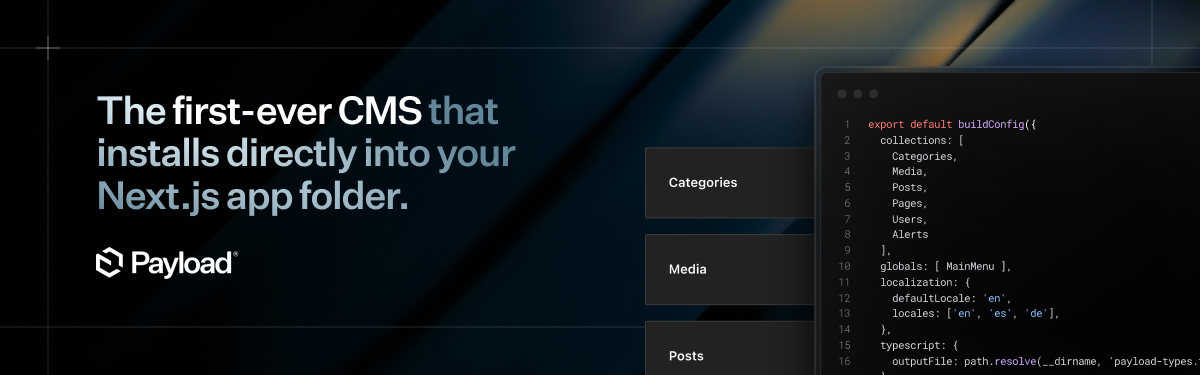
Payload is the first-ever Next.js native CMS that can install directly in your existing /app folder. It's the start of a new era for headless CMS.
Benefits over a regular CMS
- It's both an app framework & headless CMS
- Deploy anywhere, including serverless on Vercel for free
- Combine your front+backend in the same
/appfolder if you want - Don't sign up for yet another SaaS - Payload is open source
- Query your database in React Server Components
- Both admin and backend are 100% extensible
- No vendor lock-in
- Never touch ancient WP code again
- Build faster, never hit a roadblock
Quickstart
Before beginning to work with Payload, make sure you have all of the required software.
pnpx create-payload-app@latest
If you're new to Payload, you should start with the website template (pnpx create-payload-app@latest -t website). It shows how to do everything - including custom Rich Text blocks, on-demand revalidation, live preview, and more. It comes with a frontend built with Tailwind all in one /app folder.
One-click deployment options
You can deploy Payload serverlessly in one-click via Vercel and Cloudflare—giving everything you need without the hassle of the plumbing.
Deploy on Cloudflare
Fully self-contained — one click to deploy Payload with Workers, R2 for uploads, and D1 for a globally replicated database.
Deploy on Vercel
All-in-one on Vercel — one click to deploy Payload with a Next.js front end, Neon database, and Vercel Blob for media storage.
One-click templates
Jumpstart your next project with a ready-to-go template. These are production-ready, end-to-end solutions designed to get you to market fast. Build any kind of website, ecommerce store, blog, or portfolio — complete with a modern front end built using React Server Components and Tailwind.
🌐 Website
🛍️ Ecommerce 🎉 NEW 🎉
We're constantly adding more templates to our Templates Directory.
If you maintain your own, add the payload-template topic to your GitHub repo so others can discover it.
🔗 Explore more:
✨ Payload Features
- Completely free and open-source
- Next.js native, built to run inside your
/appfolder - Use server components to extend Payload UI
- Query your database directly in server components, no need for REST / GraphQL
- Fully TypeScript with automatic types for your data
- Auth out of the box
- Versions and drafts
- Localization
- Block-based layout builder
- Customizable React admin
- Lexical rich text editor
- Conditional field logic
- Extremely granular Access Control
- Document and field-level hooks for every action Payload provides
- Intensely fast API
- Highly secure thanks to HTTP-only cookies, CSRF protection, and more
🗒️ Documentation
Check out the Payload website to find in-depth documentation for everything that Payload offers.
Migrating from v2 to v3? Check out the 3.0 Migration Guide on how to do it.
🙋 Contributing
If you want to add contributions to this repository, please follow the instructions in contributing.md.
📚 Examples
The Examples Directory is a great resource for learning how to setup Payload in a variety of different ways, but you can also find great examples in our blog and throughout our social media.
If you'd like to run the examples, you can use create-payload-app to create a project from one:
npx create-payload-app --example example_name
You can see more examples at:
🔌 Plugins
Payload is highly extensible and allows you to install or distribute plugins that add or remove functionality. There are both officially-supported and community-supported plugins available. If you maintain your own plugin, consider adding the payload-plugin topic to your GitHub repository for others to find.
🚨 Need help?
There are lots of good conversations and resources in our Github Discussions board and our Discord Server. If you're struggling with something, chances are, someone's already solved what you're up against. :point_down: